Latest Developer Tools Post

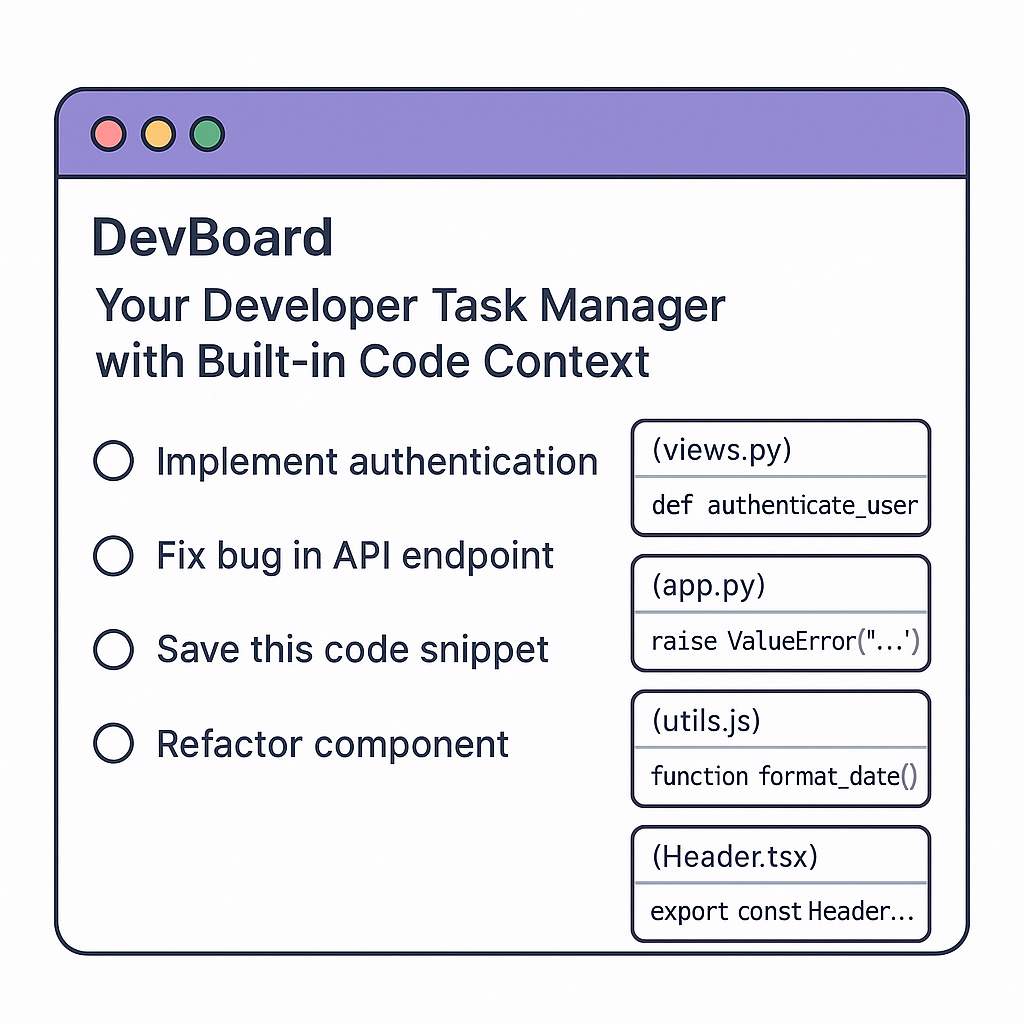
DevBoard β€” Your Developer Task Manager with Built-in Code Context

DevBoard β€” Your Developer Task Manager with Built-in Code Context

πŸš€ What is DevBoard? DevBoard is a smart developer-focused task manager + code tracker built specifically to help devs stay organized within their coding flow. It merges the power of tools like Trello, Notion, and GitHub but tailored for coding tasks, commit references, bugs, and code snippets all in one place. βš™οΈ Core Features: πŸ”Ή Code-Aware To-Do Lists Create tasks with linked code references (files, functions, or commits) Each task auto-pulls related code context from GitHub/GitLab repos Add TODO comments in code that sync directly to your DevBoard πŸ”Ή Smart Bug Tracker Quickly flag bugs while coding Tag them by file/function and auto-link commits that address them πŸ”Ή Snippet Storage Save useful code snippets by project Auto-tag them by language (Python, JS, etc.) and use cases πŸ”Ή Real-Time Collaboration Dev teams can work on shared boards Leave inline comments, assign code reviews, track who fixed what πŸ”Ή AI Assistant (Optional) Suggests how to solve tasks based on repo history Can auto-generate documentation or pull request summaries πŸ’» Who It’s For: Freelance developers Solo founders Dev teams and startups Students building long-term projects 🌍 Why It’s Useful: Regular task managers aren’t built for dev workflows DevBoard keeps all tasks, bugs, and snippets linked directly to code Helps devs reduce context switching and save mental energy πŸ’‘ Vision: To replace sticky notes, scattered TODOs, and third-party task apps by giving developers a code-native productivity system. πŸ§ͺ Future Add-ons: VS Code extension CLI tool to sync tasks Mobile app for reviewing tasks and bugs on the go πŸ’° Monetization: Free for solo devs Paid Pro plan for team features & integrations Enterprise plan with private repo indexing and AI support

Mautin
Mautin

Top 5 VS Code Extensions You’re Not Using (But Should)

Top 5 VS Code Extensions You’re Not Using (But Should)

Visual Studio Code. Hmnn! The code editor so beloved that half the internet’s blog posts start with “My Top Extensions.", you'd have seen that, I guess. But let’s be real. You’ve got Prettier. You’ve got ESLint. You’ve got GitLens. πŸ₯±    Let’s dig into five hidden gems that’ll make you say:  “Wait… why didn’t I install this ages ago?” Let's go!   1. Peacock Ever had 17 VS Code windows open and accidentally deploy to production instead of staging? 🫠   Peacock saves your sanity by letting you 'color-code' your VS Code windows.   — Staging? Neon green. — Production? Angry red. — Random experiments? Disco purple.   No more shipping chaos. Your DevOps team will finally stop giving you side-eye. 😁    2. Error Lens Squiggly red underlines are cute… until you forget they’re there and ship your code.   Error Lens shouts your errors right in your face. It turns those squiggles into giant neon signs that scream. Cool, right? πŸ˜€  “HEY! You missed a semicolon!” Lol Perfect if you like your bugs big, bold, and impossible to ignore.   3. Tabnine Meet your new AI code buddy.   While Copilot is busy writing blog posts about itself, Tabnine quietly suggests code completions in any language. It’s eerily good at guessing what you’re typing—even before you know. For instance: You: `pri` Tabnine: `print("Hello, World!")`   Tabnine makes you look like you're synchronized with your code. I love this. 😊 There a reason why I love this, if you want to know, reach out. πŸ˜‚    4. Better Comments   Tired of boring gray comments no one reads?   Better Comments adds vibrant colors so your TODOs, WARNINGS, and HACKS stand out like a clown at a funeral.   Example: ```js // TODO: Refactor this spaghetti // ! WARNING: Deletes everything // ? Why did I write this? ```   5. Bookmarks Ever scroll through a 3,000-line file screaming “WHERE’S THAT ONE LINE?!” Bookmarks lets you drop digital Post-it notes in your code. Jump instantly to important lines without wearing out your scroll wheel.   — Bug here? Bookmark it. — Cryptic regex here? Bookmark it. — Code that makes you cry? Bookmark it.   Life’s too short to get lost in your own code, I mean your own code. Imagine. πŸ˜‚    In conclusion, your code deserves more than vanilla VS Code. Give it some pizzazz. Make your dev life easier—and a little more cooler. 😎    Install these gems and become the office “VS Code Wizard or at least the person who doesn’t accidentally deploy to production.   Got a secret extension? Spill the beans below! I'll be waiting for your comments! Go and type what's in your mind or should I ask Tabnine extension to help me read your mind? 😁   Ayotomiwa

Ayotomiwa
Ayotomiwa

Page 1

Let's Talk

Do you want to learn more about how I can help your company overcome problems? Let us have a conversation.