Gone are the days when you needed a massive backend to launch your full stack app. With serverless and modern tools like Next.js and Supabase, developers in 2025 are building powerful apps without traditional backend stress.
What is Serverless Full Stack? Serverless means you don’t manage infrastructure. Instead, you use functions, APIs, and databases that scale automatically and charge only for use.
Why Next.js + Supabase is Popular in 2025
Next.js: Hybrid framework for static + dynamic sites with routing, SSR, and API routes
Supabase: Firebase alternative that offers real-time DB, authentication, file storage, and instant REST APIs
Developer Benefits
- Speed: Build MVPs in days
- Security: Auth and DB roles out of the box
- Scale: Deploy to millions with minimal config
Example Use Cases:
- SaaS dashboards
- Real-time collaboration tools
- Ecommerce landing pages with dynamic cart and checkout
In conclusion, If you want to build fast, deploy instantly, and avoid backend boilerplate, Next.js + Supabase is a future-ready stack in 2025.
React has dominated frontend frameworks for years, but in 2025, Vue.js is gaining major ground. MEVN (MongoDB, Express, Vue, Node) is becoming the preferred stack for startups and enterprises alike.
Why Developers Are Switching to Vue Vue 3 introduced Composition API, Vite, and significant performance improvements. It’s easier to learn than React and less opinionated than Angular, making it beginner-friendly yet powerful.
MEVN Advantages:
- Simplicity: Vue’s syntax is cleaner and more intuitive
- Performance: Faster builds and smaller bundles with Vite
- Tooling: Excellent devtools, built-in state management (Pinia)
Real-World Use Cases From dashboards to e-commerce platforms, MEVN is used for:
- Progressive Web Apps (PWAs)
- Admin panels and CRMs
- Real-time applications with socket.io
Getting Started with MEVN Start with Vue CLI or Vite. Set up Express for backend routes. Use MongoDB Atlas for hosting your database. Connect the frontend via Axios or Fetch API.
In conclusion, If you’re looking to build fast, scale easily, and enjoy development, MEVN is a stack worth learning in 2025.
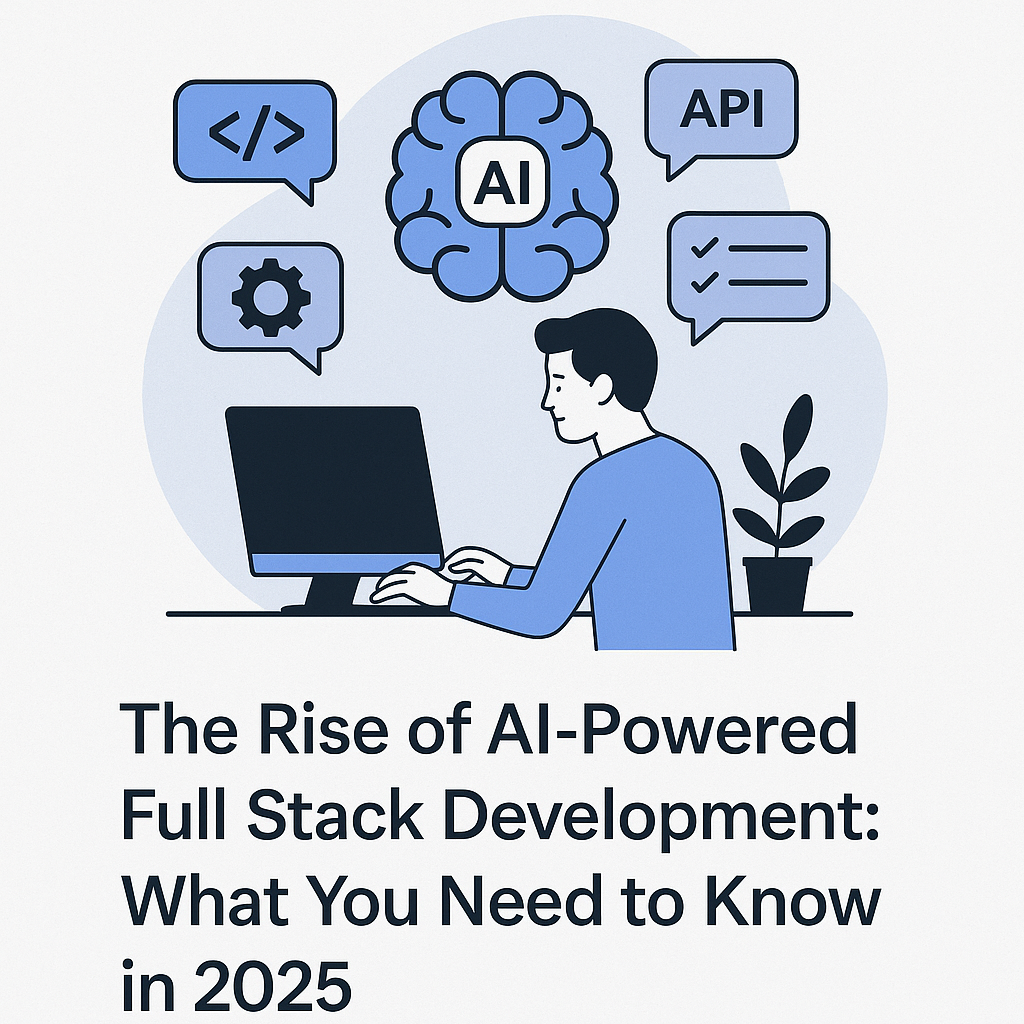
The future of full stack development is being reshaped by artificial intelligence (AI). In 2025, AI tools are no longer just coding assistants—they're integrated team members, enhancing productivity, reducing bugs, and streamlining workflows.
AI Across the Stack AI tools now assist across the full development stack. On the frontend, tools like GitHub Copilot and ChatGPT help generate code snippets, components, and even complete pages. For the backend, AI can scaffold REST APIs, manage database schema migrations, and even write test cases.
Top AI Tools for Full Stack Devs in 2025:
GitHub Copilot: Auto-completes code with context
ChatGPT: Debugs, explains code, and writes documentation
Testim.io: AI-based end-to-end test automation
CodeWhisperer: AWS’s code generator that integrates with cloud services
Benefits of AI-Powered Development
- Rapid prototyping and MVP development
- Fewer syntax and logic errors
- Automated test generation
- Faster code reviews
What Does This Mean for Developers?
Junior developers benefit by learning on the job through AI-generated suggestions. Senior devs save time on repetitive tasks. However, it also means developers must now focus more on architecture, security, and understanding what AI produces.
In conclusion AI is not replacing full stack developers but empowering them. Those who learn to harness AI tools effectively will stay ahead in the evolving tech landscape.
It is no longer new or News that the world at large is moving into the era of the Artificial Intelligence (AI) era. It has become a rapid increase in the adoption of AI in our day-to-day activities. We could see the adoption in our healthcare system, Finance system, Transportation and the likes, which are having both Advantages and Disadvantages in our activties.
We could see the stages it is evolving to, From Simple Modelling Language (Openai, grok) to AI agent( Copilot ) incorporated into softwares, Devices, Machines and even Vechicles. This are just still the dawn of the era and still evolving. It has not yet develop into it full form but gradually evolving as human race. Below is a proposed metamorphosing phases of the era;
The Pre-Metamorphosis stage;
* The Dawn of AI - Modelling Languages
* The Morning of AI - AI agent
The post Metamorphosis stage;
* The Afternoon of AI - AI in Vechicles, Bots and Robot.
* The Evening of AI - AI in human and Neural Link
* The Twilight of AI - AI sovereignty
We are still currrently in the morning of AI adoption and transisition in the afternoon of the adoption of the AI adoption.
In conclusion, AI adoption is vastly on the increase and been incorporated into mostly all thingd and still evolving. My question to the world as large is, will AI leads to evolvement of human race or otherwise?
See you soon on my next blog which will be more on The Dawn of AI, Thanks for reading, Stay tune !!!
🧠 Overview / Introduction:
Artificial Intelligence (AI) is transforming the way we live, work, and interact. From voice assistants to self-driving cars and facial recognition systems, AI is driving the future. But as it grows, so do concerns about bias, misuse, privacy, and the ethical responsibility that comes with powerful technology.
This topic explores how developers, companies, and governments can build AI responsibly, ensuring it benefits humanity without causing harm.
🔍 Key Talking Points:
1. What Is Responsible AI?
Designing, developing, and deploying AI systems that are ethical, transparent, fair, and accountable
Making sure AI respects human rights, privacy, and diversity
2. Why It Matters:
AI Bias: Algorithms trained on biased data can discriminate (e.g., hiring tools or facial recognition failing on darker skin tones)
Misinformation & Deepfakes: AI is used to create fake content at scale
Surveillance & Privacy: Some AI systems are being misused to monitor citizens or manipulate behavior
Lack of Accountability: Who takes the blame when an AI makes a mistake?
3. Examples of Responsible AI in Action:
Microsoft’s “AI Ethics Board”
Google’s “Explainable AI” tools
OpenAI’s policies on model usage
African-led projects that promote ethical use of AI in agriculture or education
4. Key Principles of Responsible AI:
Fairness: No discrimination across gender, race, or age
Transparency: Make AI decisions understandable to humans
Accountability: Developers and companies must take ownership
Safety & Security: Prevent harmful use or unintended consequences
5. Tools & Frameworks to Promote Ethics:
Model cards (for transparency)
Data documentation (e.g., datasheets for datasets)
Bias detection tools
Governance policies
6. What Developers Can Do:
Audit your training data
Include diverse teams when building models
Communicate limitations clearly
Push for regulations and open dialogue
🧪 Interactive Ideas (for presentations or social):
Run a quick poll: “Should AI be regulated like medicine?”
Share a case study of AI bias (e.g., COMPAS in the US justice system)
Ask: “Have you ever experienced or seen unfair AI?”
🌍 Conclusion / Call to Action:
AI is powerful — but with great power comes great responsibility. Developers, startups, and tech leaders must prioritize ethics alongside innovation. The goal isn’t just smarter machines, but a smarter society that knows how to use them well.
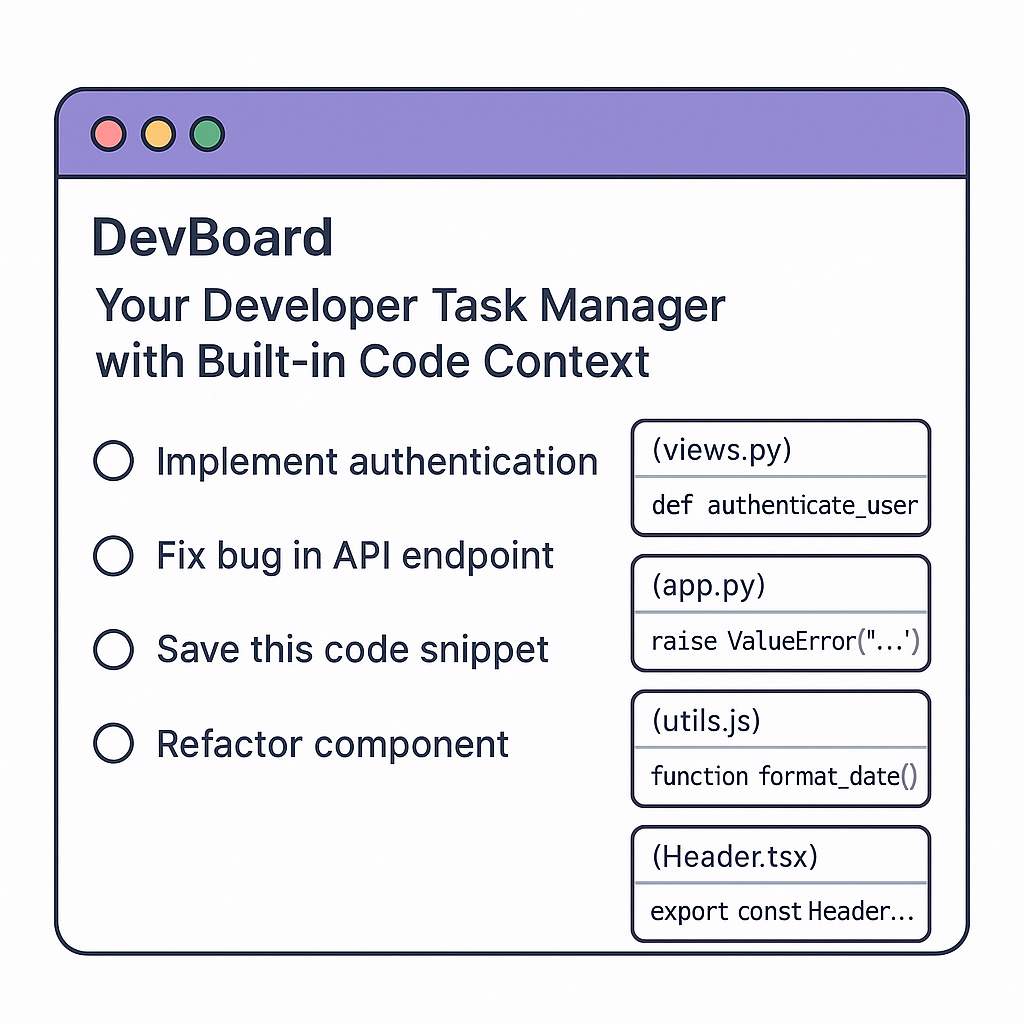
🚀 What is DevBoard?
DevBoard is a smart developer-focused task manager + code tracker built specifically to help devs stay organized within their coding flow.
It merges the power of tools like Trello, Notion, and GitHub but tailored for coding tasks, commit references, bugs, and code snippets all in one place.
⚙️ Core Features:
🔹 Code-Aware To-Do Lists
Create tasks with linked code references (files, functions, or commits)
Each task auto-pulls related code context from GitHub/GitLab repos
Add TODO comments in code that sync directly to your DevBoard
🔹 Smart Bug Tracker
Quickly flag bugs while coding
Tag them by file/function and auto-link commits that address them
🔹 Snippet Storage
Save useful code snippets by project
Auto-tag them by language (Python, JS, etc.) and use cases
🔹 Real-Time Collaboration
Dev teams can work on shared boards
Leave inline comments, assign code reviews, track who fixed what
🔹 AI Assistant (Optional)
Suggests how to solve tasks based on repo history
Can auto-generate documentation or pull request summaries
💻 Who It’s For:
Freelance developers
Solo founders
Dev teams and startups
Students building long-term projects
🌍 Why It’s Useful:
Regular task managers aren’t built for dev workflows
DevBoard keeps all tasks, bugs, and snippets linked directly to code
Helps devs reduce context switching and save mental energy
💡 Vision:
To replace sticky notes, scattered TODOs, and third-party task apps by giving developers a code-native productivity system.
🧪 Future Add-ons:
VS Code extension
CLI tool to sync tasks
Mobile app for reviewing tasks and bugs on the go
💰 Monetization:
Free for solo devs
Paid Pro plan for team features & integrations
Enterprise plan with private repo indexing and AI support
AI is evolving fast, and one of the most exciting advancements is the rise of AI agents—autonomous systems that can think, plan, and act to complete tasks with little or no human input.
Think of AI agents as virtual assistants on steroids. Unlike simple bots that just follow instructions, AI agents are designed to understand goals, make decisions, and work through steps to achieve results.
What Makes an AI Agent Different?
Traditional AI tools, like chatbots or image generators, usually complete one task at a time. AI agents, on the other hand, can:
Break down complex tasks into smaller steps
Make decisions based on feedback
Use tools, APIs, or other agents to get the job done
Learn and adapt through interaction
Where Are AI Agents Being Used?
Customer support: Handling full support tickets from start to finish.
Research: Searching the web, analyzing sources, and summarizing results.
E-commerce: Recommending products, processing orders, and following up.
Automation: Performing tasks like filling forms, scheduling emails, or even coding.
Why You Should Pay Attention
AI agents are opening the door to personalized automation. Whether you’re a developer, business owner, or creative, you can now build agents that work for you—saving time, reducing errors, and unlocking new possibilities.
Final Thoughts
AI agents aren’t just a glimpse of the future—they’re already here. And as tools like AutoGPT, CrewAI, and Hugging Face’s smol-agent evolve, we’re getting closer to having intelligent digital teammates who can truly work alongside us.
Artificial Intelligence (AI) is no longer just a buzzword—it's powering the tools and platforms we use every day, often without us realizing it. From personalized Netflix recommendations to voice assistants like Siri and ChatGPT, AI is transforming the way we live, work, and interact with technology.
What Exactly is AI?
At its core, AI is about building machines that can simulate human intelligence—learning from data, making decisions, and improving over time. This includes things like machine learning, natural language processing, computer vision, and more.
Real-World Impact
Healthcare: AI helps doctors detect diseases early through imaging and predictive analytics.
Finance: Banks use AI to detect fraud and personalize financial advice.
Marketing: AI automates campaigns, writes content, and targets the right audience at the right time.
Customer Support: AI chatbots are now handling thousands of customer requests daily—faster and more efficiently.
Why It Matters
AI isn't just about convenience—it's about efficiency, accuracy, and innovation. It’s helping small businesses scale faster, enabling researchers to make groundbreaking discoveries, and giving creatives new tools for expression.
But as with all powerful tools, it comes with responsibility. Ethical concerns like bias, job displacement, and data privacy are challenges we must address as AI becomes more integrated into society.
Final Thoughts
We’re just scratching the surface of what AI can do. Whether you're a developer, business owner, or everyday user, understanding AI and how it works is becoming just as important as knowing how to use the internet.
The future is AI-powered—are you ready?
Visual Studio Code. Hmnn! The code editor so beloved that half the internet’s blog posts start with “My Top Extensions.", you'd have seen that, I guess.
But let’s be real. You’ve got Prettier. You’ve got ESLint. You’ve got GitLens. 🥱
Let’s dig into five hidden gems that’ll make you say:
“Wait… why didn’t I install this ages ago?”
Let's go!
1. Peacock
Ever had 17 VS Code windows open and accidentally deploy to production instead of staging? 🫠
Peacock saves your sanity by letting you 'color-code' your VS Code windows.
— Staging? Neon green.
— Production? Angry red.
— Random experiments? Disco purple.
No more shipping chaos. Your DevOps team will finally stop giving you side-eye. 😁
2. Error Lens
Squiggly red underlines are cute… until you forget they’re there and ship your code.
Error Lens shouts your errors right in your face. It turns those squiggles into giant neon signs that scream. Cool, right? 😀
“HEY! You missed a semicolon!”
Lol
Perfect if you like your bugs big, bold, and impossible to ignore.
3. Tabnine
Meet your new AI code buddy.
While Copilot is busy writing blog posts about itself, Tabnine quietly suggests code completions in any language. It’s eerily good at guessing what you’re typing—even before you know.
For instance:
You: `pri`
Tabnine: `print("Hello, World!")`
Tabnine makes you look like you're synchronized with your code. I love this. 😊
There a reason why I love this, if you want to know, reach out. 😂
4. Better Comments
Tired of boring gray comments no one reads?
Better Comments adds vibrant colors so your TODOs, WARNINGS, and HACKS stand out like a clown at a funeral.
Example:
```js
// TODO: Refactor this spaghetti
// ! WARNING: Deletes everything
// ? Why did I write this?
```
5. Bookmarks
Ever scroll through a 3,000-line file screaming “WHERE’S THAT ONE LINE?!”
Bookmarks lets you drop digital Post-it notes in your code. Jump instantly to important lines without wearing out your scroll wheel.
— Bug here? Bookmark it.
— Cryptic regex here? Bookmark it.
— Code that makes you cry? Bookmark it.
Life’s too short to get lost in your own code, I mean your own code. Imagine. 😂
In conclusion, your code deserves more than vanilla VS Code. Give it some pizzazz. Make your dev life easier—and a little more cooler. 😎
Install these gems and become the office “VS Code Wizard or at least the person who doesn’t accidentally deploy to production.
Got a secret extension? Spill the beans below!
I'll be waiting for your comments!
Go and type what's in your mind or should I ask Tabnine extension to help me read your mind? 😁
Ayotomiwa
When it comes to building mobile apps efficiently and cost-effectively, React Native continues to be a top choice for developers and businesses alike. Developed by Facebook, React Native is an open-source framework that allows developers to build mobile applications for both iOS and Android using a single codebase written in JavaScript (or TypeScript).
What Makes React Native Special?
At its core, React Native combines the performance of native apps with the developer experience of web development. Instead of building separate apps for iOS and Android, you can write one React Native app that works across both platforms, saving time and resources.
But it doesn’t stop there. React Native components are directly mapped to native UI elements, which means users get the same smooth experience they would expect from apps written in Swift or Kotlin.
Key Benefits:
ross-Platform: One codebase, two platforms.
Fast Refresh: Instantly see code changes without rebuilding the app.
Strong Community: Huge ecosystem of libraries, tools, and contributors.
Reusable Components: Build components once and use them anywhere.
Use Cases
From startups to tech giants like Instagram, Facebook, and Shopify, many companies use React Native to build production-level apps quickly and maintainably.
Final Thoughts
React Native is not just a trend, it’s a robust solution for modern mobile development. Whether you're a solo developer or part of a large team, it helps you build high-quality apps with less overhead and faster time-to-market.
If you're thinking about building a mobile app in 2025, React Native is still one of the best tools to consider.